Materials in eight places
Links in Slack, PDFs on Drive, notes on a phone, calendar in Google, transcripts in Word. Come back to the story three weeks later — you rebuild the context from scratch.
Narratic is where newsrooms collect sources, track stories, and work with AI — without the AI making things up.
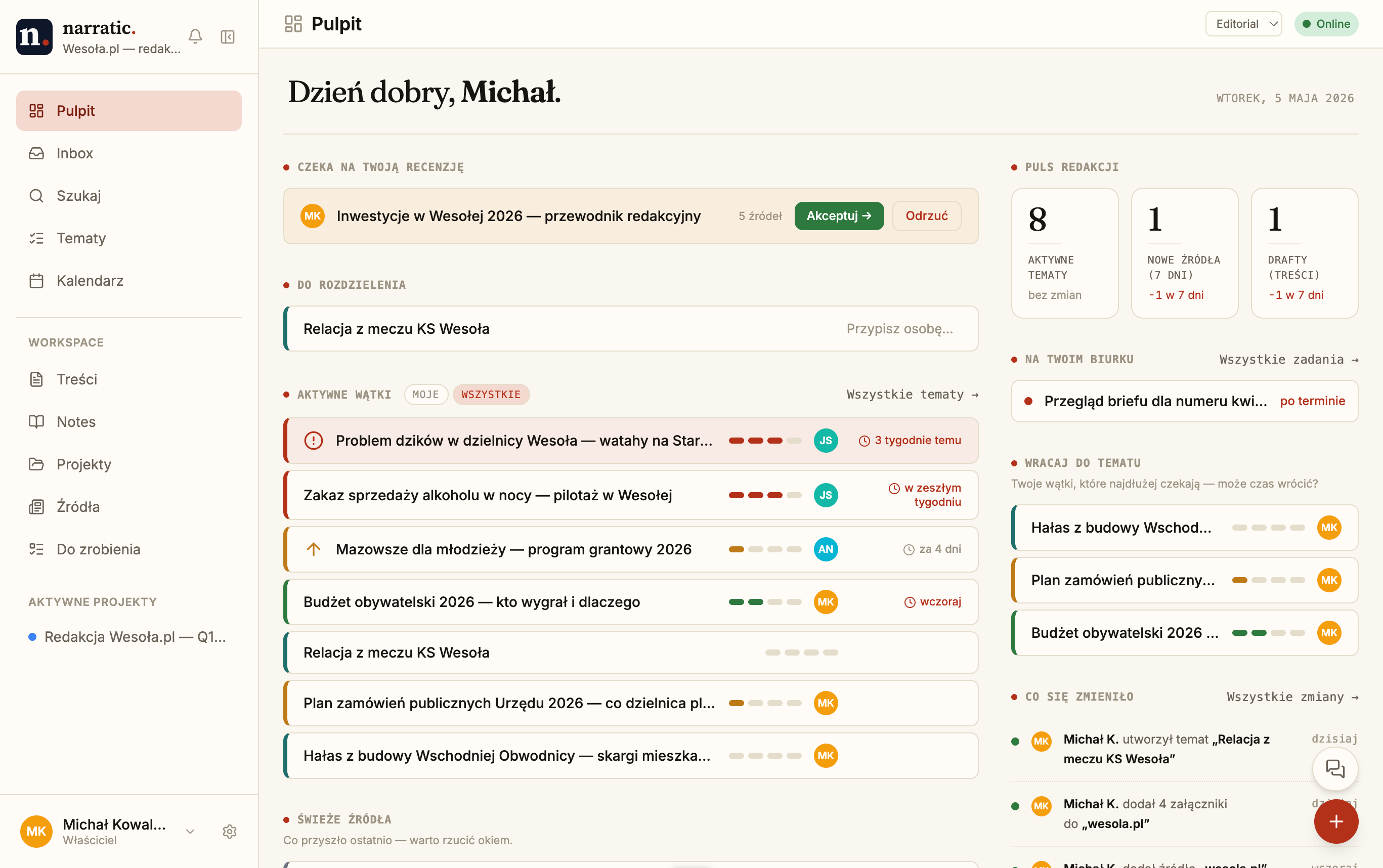
The bottlenecks aren't dramatic — they're daily. They're the friction that turns a good story into "we'll get to it next week."
Links in Slack, PDFs on Drive, notes on a phone, calendar in Google, transcripts in Word. Come back to the story three weeks later — you rebuild the context from scratch.
Generic AI answers from memory instead of from your materials. Every output needs fact-checking before it's usable. In practice — no time saved.
Who's writing what, what's in review, what ships tomorrow — tracked in group chats, not in a tool. New person joins and nobody can hand it over.
Together they make Narratic feel different from a generic notebook or a chatbot bolted to a CMS.
Everything orbits the Topic. Sources, comments, calendar, content — one view per story, no context-hunting.
The AI only sees the materials you attach. No internet crawl, no model hallucination, no guessing.
AI suggests. You decide. Every AI action is reviewable, reversible, and auditable — with cost tracking per workspace.
Reporters work without connectivity. Edits queue locally, then sync the moment the network comes back.
The mechanics above translate into shipped, daily-used UI. Below — what they look like in a real Polish newsroom.
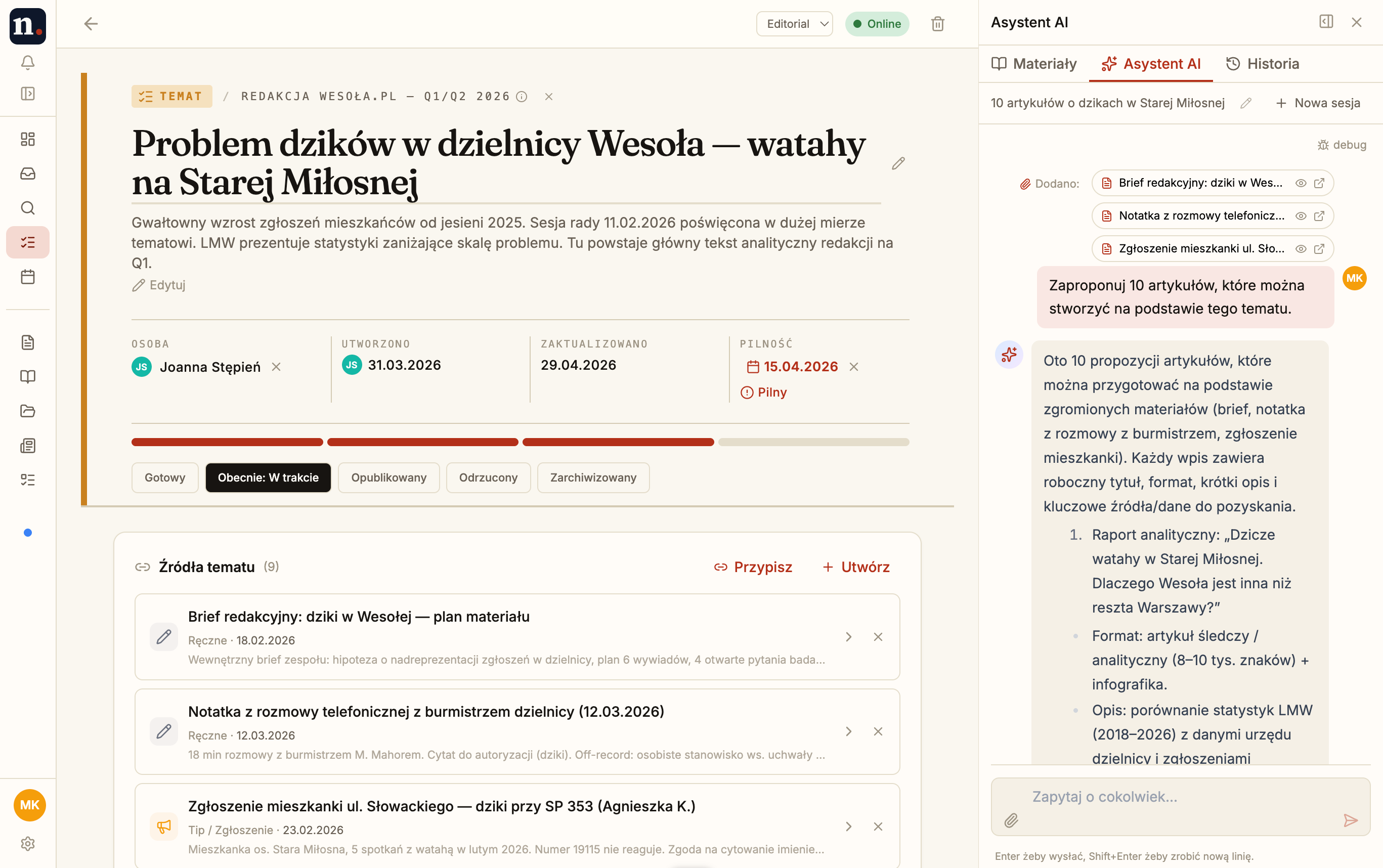
Topic title, status, deadline, the materials it was built from, and an AI assistant that only sees what's attached. Reporters work end-to-end without switching tools or rebuilding context.
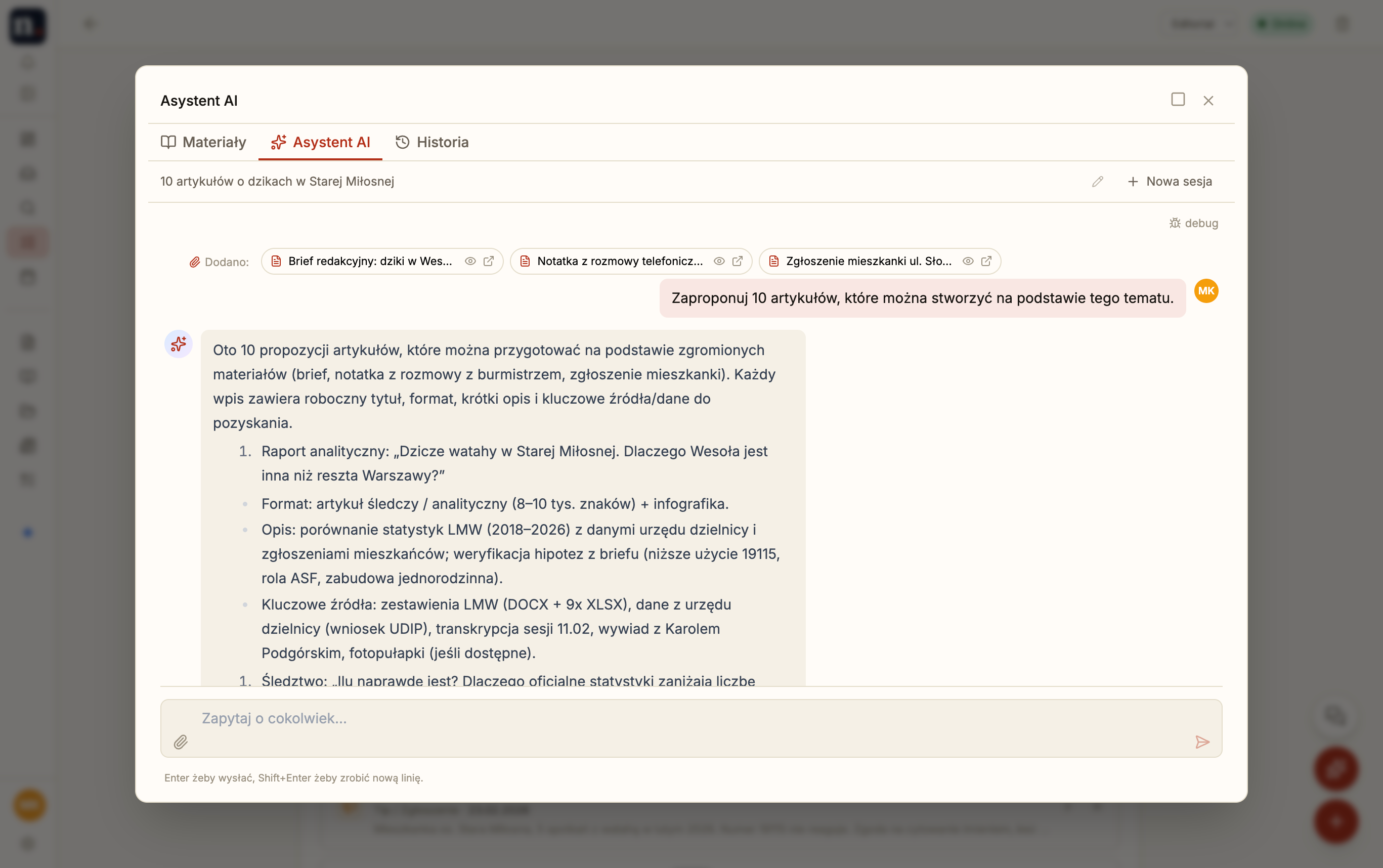
Pick the materials, ask the question. Every answer rests on the attachments you chose — no open-internet crawl, no cross-workspace bleed, every per-call cost logged for audit.
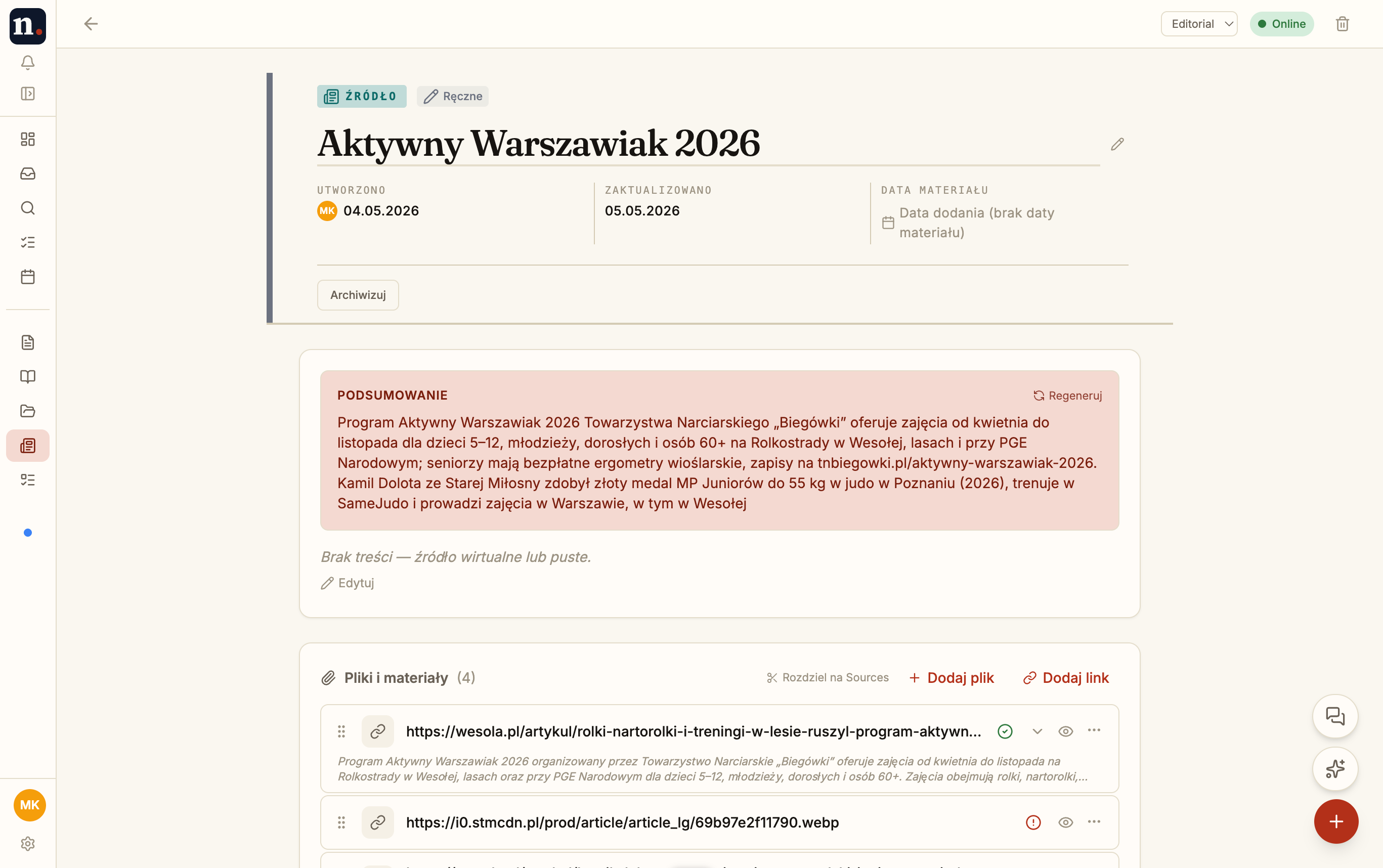
Each attachment — PDF, link, email, transcript — gets its own one-paragraph TL;DR as it lands, and the source itself rolls up a summary across all of them. Click through to the original whenever you need the actual quote.
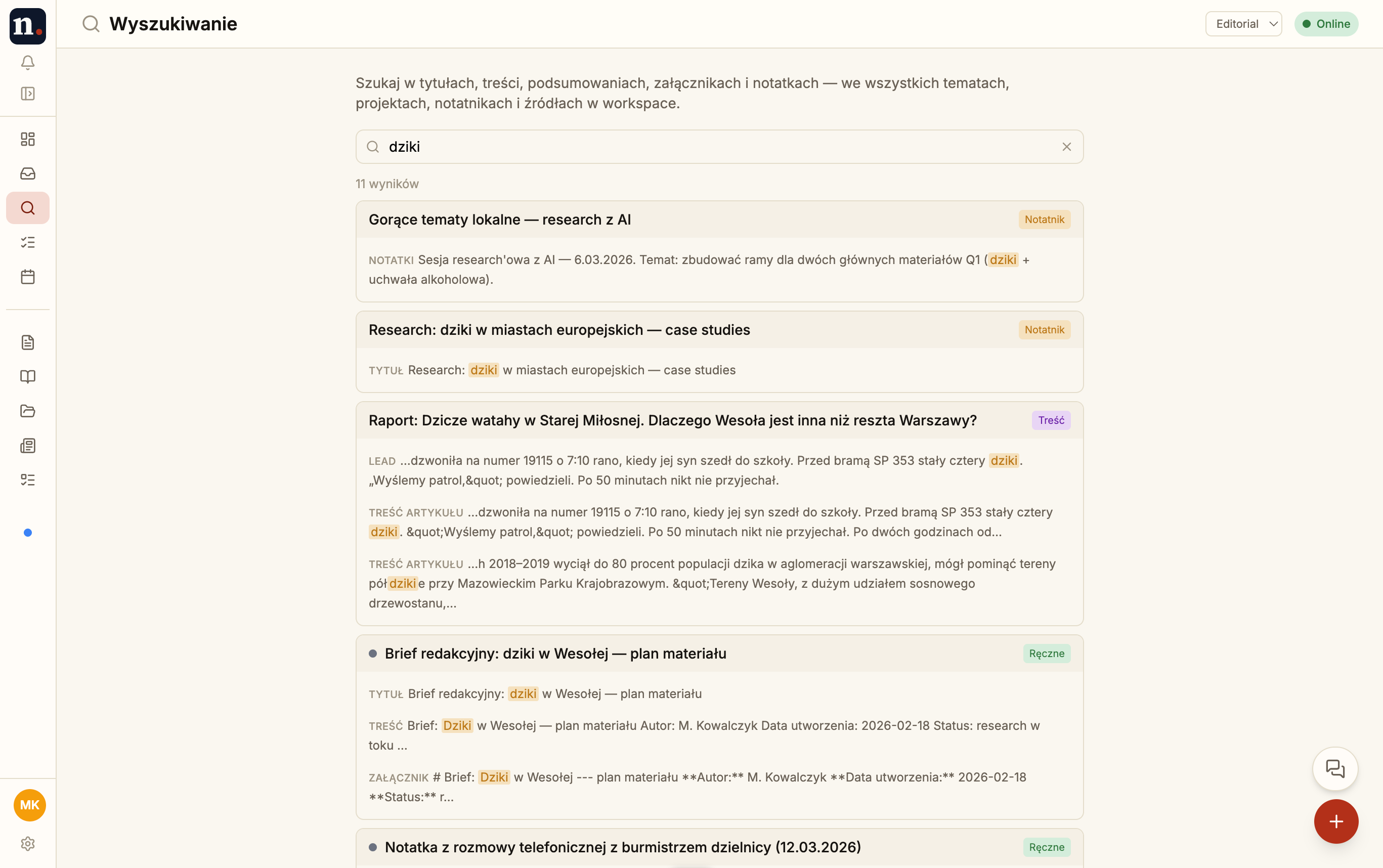
Topics, notes, attachments, AI summaries, source content — searched by keyword and by meaning. Find a quote from three months ago even when you only remember what it was about.
Ten concrete pieces, split into the editorial basics and the layer that makes them sing.
The editorial basics — capture, organize, ship. Useful before you turn on a single AI feature.
Eight source types — PDF, DOCX, XLSX, links, iCal, audio metadata. Automatic URL fetching, full-text search, metadata extraction.
Per-topic research workspace. Write notes, link sources, sketch the story before committing to a draft.
Eight-state status machine on every topic, with editor-in-chief approval gate before publish.
Assignment, due date, status. Who's writing what, what's in review, what ships tomorrow — tracked in the tool.
Draft articles with source citations. Draft → review → published states; cleanly versioned along the way.
Subscribe to iCal feeds — council meetings, court dockets, government events. Linked to topics.
The layer on top — what makes the foundation hum with a team and an AI assistant.
OpenAI + Anthropic. Streaming responses scoped to the materials you pick. Per-workspace cost tracking.
Comments on topics, sources, and content fragments. @mentions, resolved state, no thread sprawl.
15 role presets × ~50 granular permissions, ALL/OWN scope. A reporter doesn't see the editor-in-chief's materials.
IndexedDB cache, mutation outbox, service worker. Works in the field without wifi; syncs on reconnect.
Narratic is not for everyone. We say plainly which teams we serve well — and which we don't.
Regional dailies, city portals. Small teams, big material flow, real deadlines. One editor manages 20–30 topics in parallel without losing context.
Content marketing agencies and in-house teams. Research → brief → draft → review → publish. Per-client AI cost audit.
Non-profits, think tanks, analytical teams. Long projects, dozens of sources (reports, hearings, interviews). Source-grounded AI replaces "internet search."
Not for solo bloggers or SEO content farms. Narratic earns its keep when there's a team and a real material flow.
Newsrooms handle leaks, whistleblowers, and sources who trust them. Narratic is built around that trust.
Every team has its own space. No information leaks between organisations.
15 roles × ~50 permissions, scope ALL/OWN. A reporter doesn't see the editor-in-chief's materials.
Materials sent to OpenAI/Anthropic never train models. Per-workspace cost transparency.
Every AI response is grounded in specific materials. Easy fact-check before publication.
Frankfurt data centre (Digital Ocean). GDPR-friendly by default.
Offline-first means less data in transit. Field work is local-first by design.
More detail: Privacy policy · Security note
Narratic ships in Polish and English. We turn on the next language when a real newsroom is ready to use it — not before.
Want yours next? Tell us at hello@narratic.app and we'll line it up against the rest.
We're onboarding editorial teams one by one. Tell us who you are and what you're working on — we'll show you whether Narratic fits.